
Materials and Trading
Tell your Materials Bag from Materials Storage, make room, and trade at the market.
On this page
What is the difference between the bag and storage?
The Warehouse has two tabs: “Materials Bag” and “Materials Storage.” Only materials in your bag can be used directly for alchemy and deck building; move materials you are not using into storage.
The starting bag holds 50 items, and storage holds 200. Check your screen for the actual capacity after upgrades.
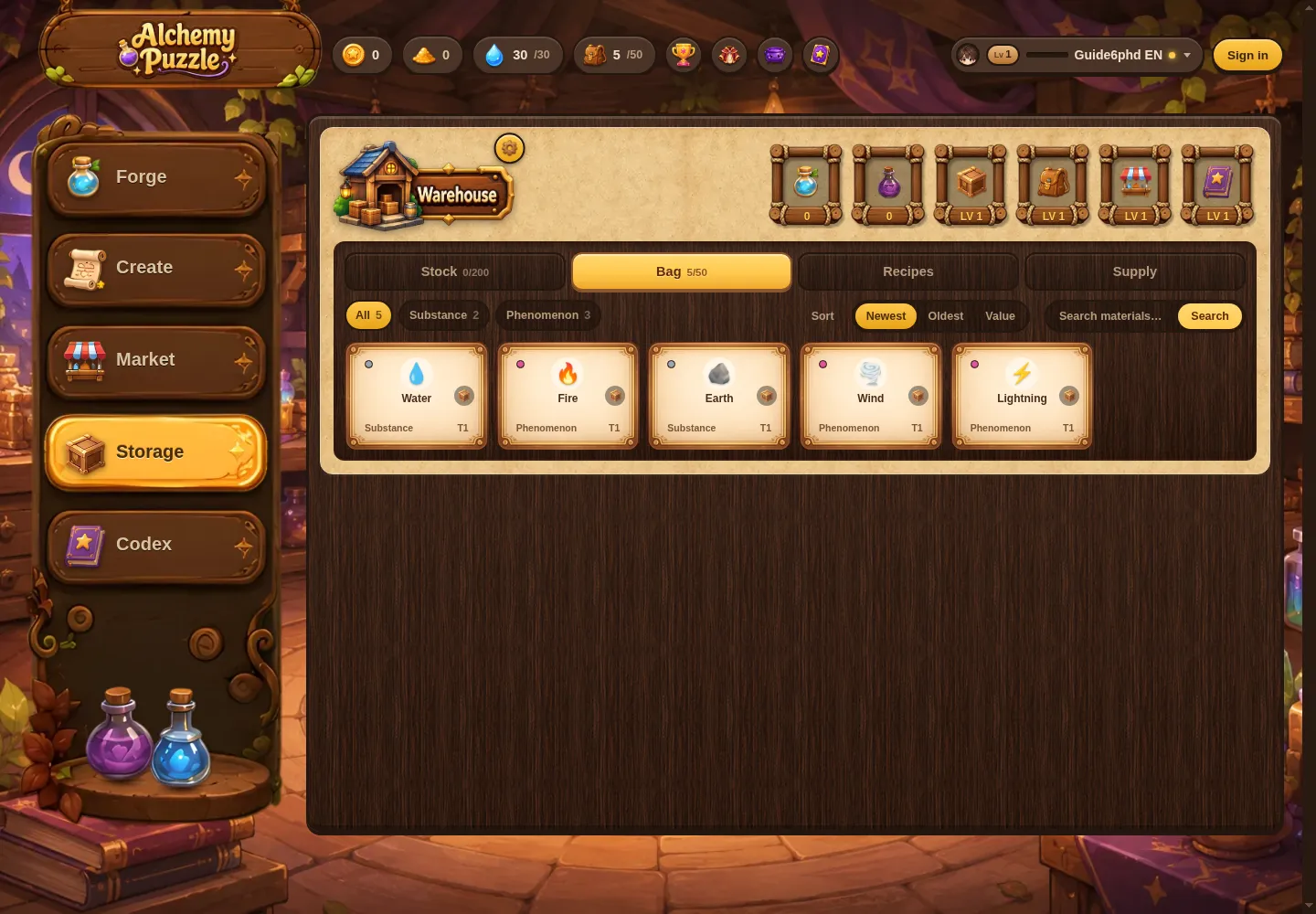
Move materials where you need them
- Open the Warehouse and select the tab where the material is now.
- Use the move tool and choose the materials you want to organize.
- Move anything you plan to craft with back to your bag; put materials you are not using in storage.
Materials assigned to a deck or charge setup are locked. To move one into storage, remove it from your deck and save the deck first.
What should I check when storage is full?
Check the remaining capacity in both your bag and storage, then move materials you are not using. The Warehouse also has a full-storage handling setting. Check which rule is selected so a creation is not handled in a way you did not expect.
Buy and sell at the market
You need to link a Google account to trade.
Browse listings in the Market. Before buying, check whether the item is a creation or a recipe, its price, and whether you have enough coins and space.
When listing an item, choose the product and price shown on screen, review them, and submit. Creations and recipes are different products; do not rely on the name alone. Check what a recipe provides before you buy it.
To learn where coins come from, read Mana, Gold Sand, and Coins.
Up nextMana, Gold Sand, and Coins →