
Your First Workshop
Choose materials, make your first creation, and follow the steps on screen.
On this page
Enter the workshop
Choose “Start playing,” name your workshop, and enter as a guest, or sign in with Google. To keep playing on another device, link your Google account in the game.
Guests can try known recipes. To explore a combination no one has tried yet, sign in with Google first.
Once inside, stay on “Alchemy.” Your goal is simple: choose two primal materials and make one creation.
Choose two materials
Your starting primals are Water, Fire, Earth, Wind, and Lightning. You can use them again and again; they are where every exploration begins.
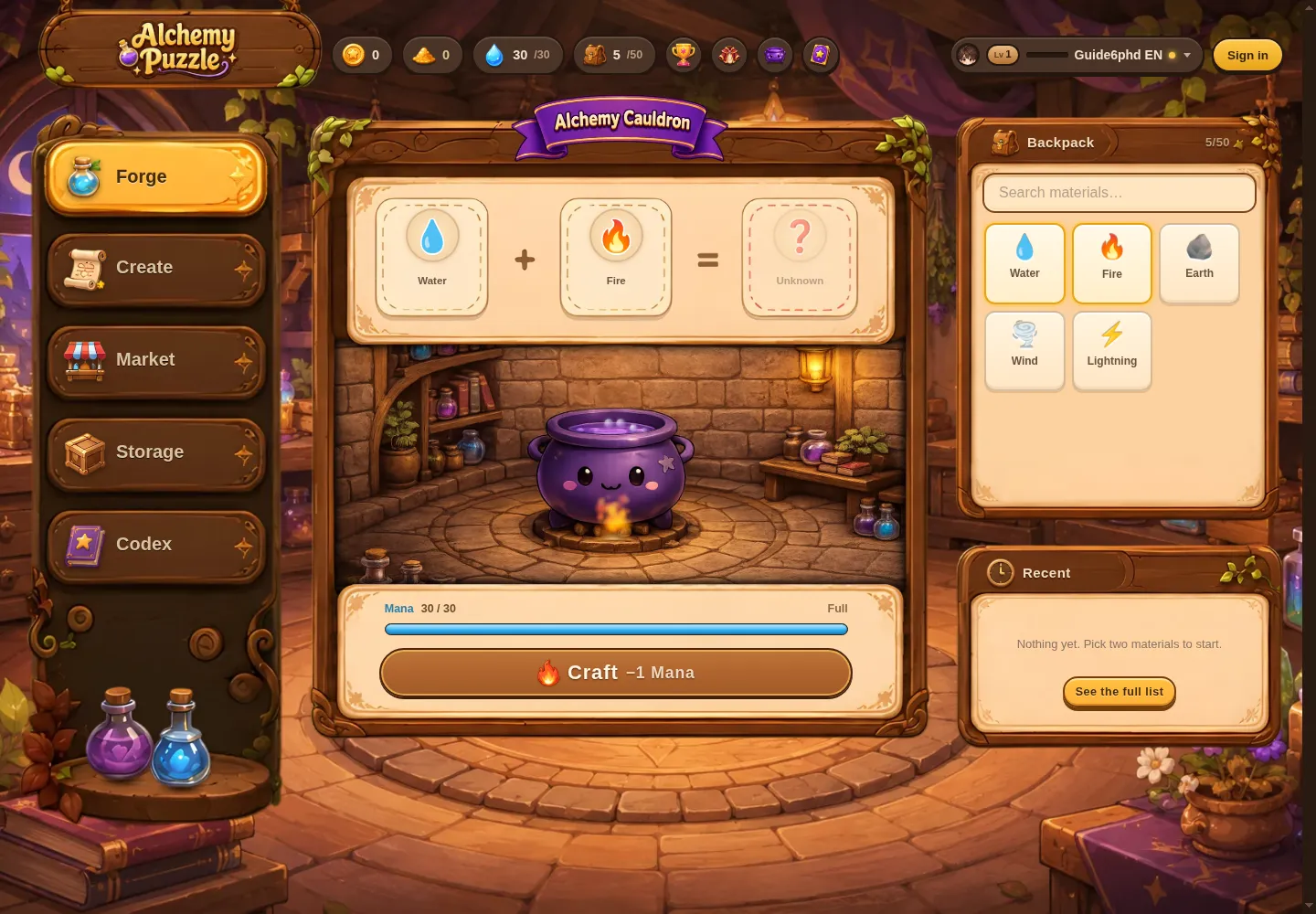
- Select “Water” in your Materials Bag and place it in the first slot.
- Select “Fire” and place it in the other slot.
- Check the names in both slots to make sure they are the combination you want to try.
Make the creation
Press “Alchemize” and wait for the result. Using primals costs 1 mana. The button shows the cost each time, so check it before you press.
The result window shows the creation’s name, purity, and tier. Your discovery means you obtained it for the first time; a world-first discovery means it is the first time anyone in this realm has made it. They are different things.
Keep exploring with what you make
Close the result window and the new creation will stay in the material slots. Replace one material and try another combination.
There is no need to rush to higher tiers. Try a few combinations of primals first, then open the “Codex” to browse creations and recipes.
Choose what to do next
- Keep exploring: Alchemy and discoveries.
- Change your character’s look: Dress-up and battle scenes.
- Learn how to battle: Your first card battle.
- Stuck with low mana or a material you cannot select? See Frequently asked questions.